























GPT to Word Converter: The Ultimate Tool for AI Text
Welcome to the premier GPT to Word Converter on the web. In the age of artificial intelligence, students, researchers, and professionals interact with tools like ChatGPT, Google Gemini, and Claude daily. These AI models generate incredible content, from complex data tables to intricate mathematical proofs. However, one persistent problem remains: how do you get that content out of the chat window and into a professional document without losing formatting?
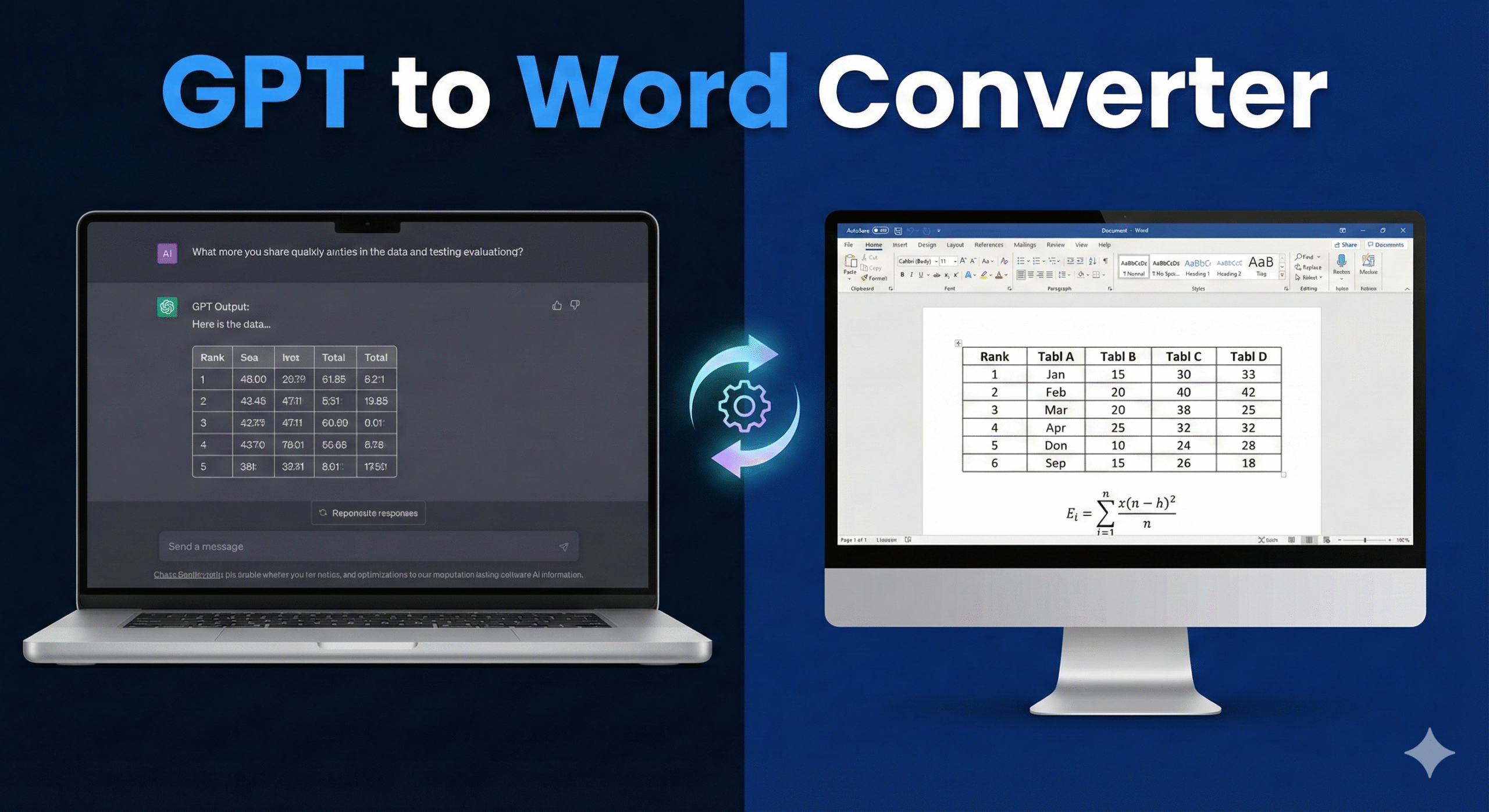
Our GPT to Word Converter is the solution. It is specifically engineered to bridge the gap between LLM outputs and Microsoft Word. Standard copy-pasting is notoriously unreliable—tables often lose their borders, becoming unreadable lists of text, and mathematical equations (often rendered in LaTeX by AI) turn into garbled code when pasted into a `.doc` file. This tool eliminates those frustrations entirely.
Why You Need a Specialized GPT to Word Converter
You might wonder, “Why can’t I just copy and paste?” The answer lies in the hidden code. AI chatbots render content using HTML and CSS for the web, while Microsoft Word relies on its own proprietary XML structure. When you perform a standard paste, this translation often fails.
This GPT to Word Converter uses the power of the Gemini API to intelligently rewrite your content. It doesn’t just copy text; it understands the structure. It identifies a grid of numbers and forces it into a robust HTML table with explicit borders (`border=”1″`). It sees a physics formula like $E=mc^2$ and translates it into MathML, the standard markup language that Word natively converts into editable equations. This ensures that when you open your downloaded file, it looks professional and is ready for immediate editing.
Key Features of the Tool
- Native Table Preservation: The most common complaint when moving data from AI to Word is broken tables. Our converter ensures headers, rows, columns, and most importantly, visible borders are preserved during the transition.
- Advanced Math Support: Whether you are dealing with calculus, algebra, or physics, our tool converts LaTeX syntax into Word-compatible MathML. You can double-click equations in the resulting Word doc to edit them using Word’s built-in equation editor.
- Privacy First: This is a client-side GPT to Word Converter. Your API key and your text are processed securely via the Google API and are not stored on our servers.
- Clean formatting: It strips away the dark-mode backgrounds, code block artifacts, and other UI elements from chat interfaces, giving you a clean, white-paper document.
How to Use the GPT to Word Converter
Using this tool is incredibly simple. Follow this step-by-step guide to streamline your workflow:
- Get Your Key: Click the “Get Key” link to obtain a free Gemini API key from Google. This powers the intelligence behind the conversion.
- Input Content: Copy the text, tables, or reports directly from your ChatGPT or Gemini conversation. Paste them into the left-hand input box of the GPT to Word Converter.
- Convert: Click the blue “Convert” button. The tool will analyze the text, restructure tables, and translate math formulas.
- Download: Once the preview appears on the right, click “Download .doc”. Your file is now ready to open in Microsoft Word, LibreOffice, or Google Docs.
Frequently Asked Questions
Is this GPT to Word Converter free?
Yes, the tool is free to use. You only need your own API key, which Google currently provides for free within generous usage limits.
Does it work with Mac Pages?
The output file is a standard `.doc` format. While optimized for Microsoft Word, it is generally compatible with Apple Pages, LibreOffice Writer, and Google Docs, though some complex math formatting is best viewed in Word.
Why are tables better here than copy-pasting?
When you copy-paste, you often get “tab-separated values” instead of a grid. Our GPT to Word Converter forces the data into a semantic table structure that word processors recognize as an actual grid, allowing you to resize columns and add rows easily.
Offline GPT to Word
No API Key Required • Client-Side Processing